Choices that stay open until the model file arrives
Slot and lanes
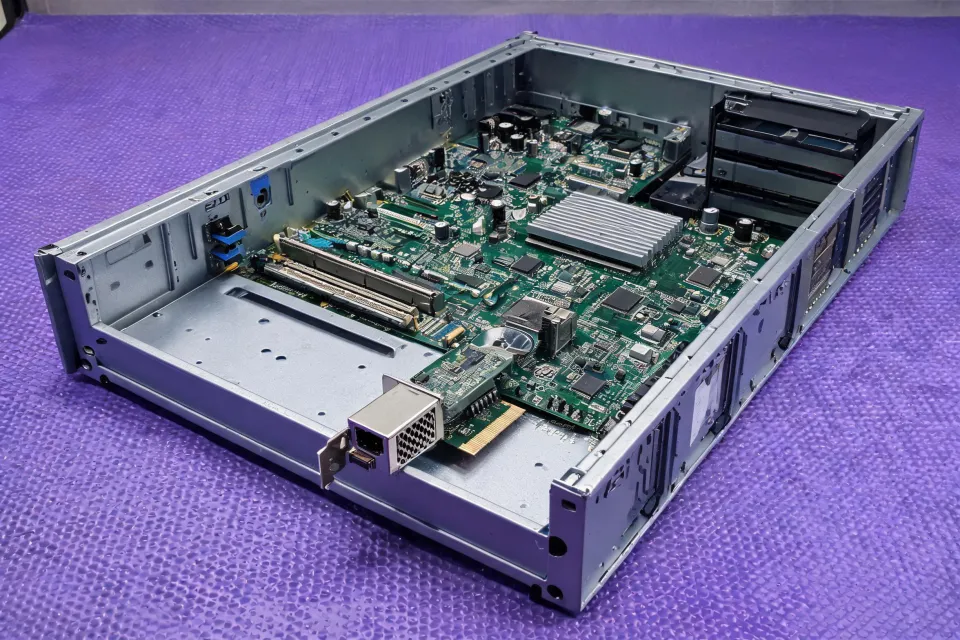
Write the PCIe generation and how many lanes the slot exposes. A card that wants more lanes than the slot provides will not become a 10 Gbps link because the title says 10 gigabit. Ask the supplier which generation and lane width the exact model requires, and for the datasheet figure rather than a family banner.
Copper PHY or optical cage
10GBASE-T and an SFP+ cage are different delivered scopes. Copper pulls more power and heat and cares about cable category, often Cat6a for the reach you intend. An SFP+ line needs the optic or DAC called out: wavelength, optical budget, receiver sensitivity, and transmit power when the item is optical. Do not bury the optic inside the NIC price.
Driver and host policy
Name the OS build and whether the image allows an inbox driver or a vendor package. OEM-coded optics and compatible modules are a separate dispute: one path may match a vendor support policy, the other may widen supply after a host test. Ask which path the quote uses. This desk does not grade that policy.
What to verify before accepting an alternative
Match manufacturer and model on the quote to the datasheet file name. Check lane width, PHY, included accessories, and condition (new or refurbished). Refurbished cards need provenance, firmware state, and warranty scope in writing. A lower unit price with a missing optic is not the same offer. Compare after freight, duties, and support lines share one basis.
Switch language does not transfer cleanly. Switching capacity, forwarding rate, and a PoE budget describe switches. A NIC has a port, a bus, and a driver. Rack unit and rack format matter if you are also buying a chassis, not because the card has a height in rack units. Power input for the card is slot power plus any external feed the datasheet lists. Software or license scope is the driver and any management agent, stated as included or excluded.
Limits that should stay visible
Heat in a dense server can throttle a 10GBASE-T PHY even when the standard name is correct. Reach depends on the cable or the optic, not on the word gigabit. Insertion loss and return loss belong to the cord or the fiber plant. Frequency range, gain, VSWR, and MIMO describe radios and antennas. Leave them off this checklist unless the same purchase includes those parts as separate lines. Ingress protection is rarely the deciding NIC field inside a chassis. Ask for it when the card will live outside a normal rack.
IEEE 802.3 names, including 10GBASE-T, are question labels. The IEEE 802 overview does not prove your slot, your optic, and this card work together. FCC equipment rules apply to some products and not as a blanket sticker. If a supplier cites an authorization or an NRTL mark, ask for the file on the exact model. LinkScope Sourcing 21 does not issue that file.
Procurement scenario: a host that has an x4 slot and a copper preference
Background: a buyer wants eight cards for a lab refresh, destination Virginia, and hopes to avoid optics. Process: the checklist sets PCIe lane width as mandatory, 10GBASE-T as preferred, SFP+ as a deviation that must include the optic price, and driver package as unknown until the OS image is named. Result: factories can answer both paths. The buyer can reject the optic path later without pretending the copper path was already tested in the chassis.
USB and 100 Mbps forms stay on the inquiry list so they are not mixed into this slot brief. Send the closed checklist through the contact form.